
Keep searches independent.
Launch and supervise separate CertPatrol processes. Each search has its own pattern, checkpoints, and process tracking.
Independent tools.
Real-world protection.
Coordinate CertPatrol workers, follow new domains,
and keep
your investigations together.
Launch isolated searches, review new domains, and manage workers from one dashboard. Projects and results are stored in SQLite for reporting and automation.
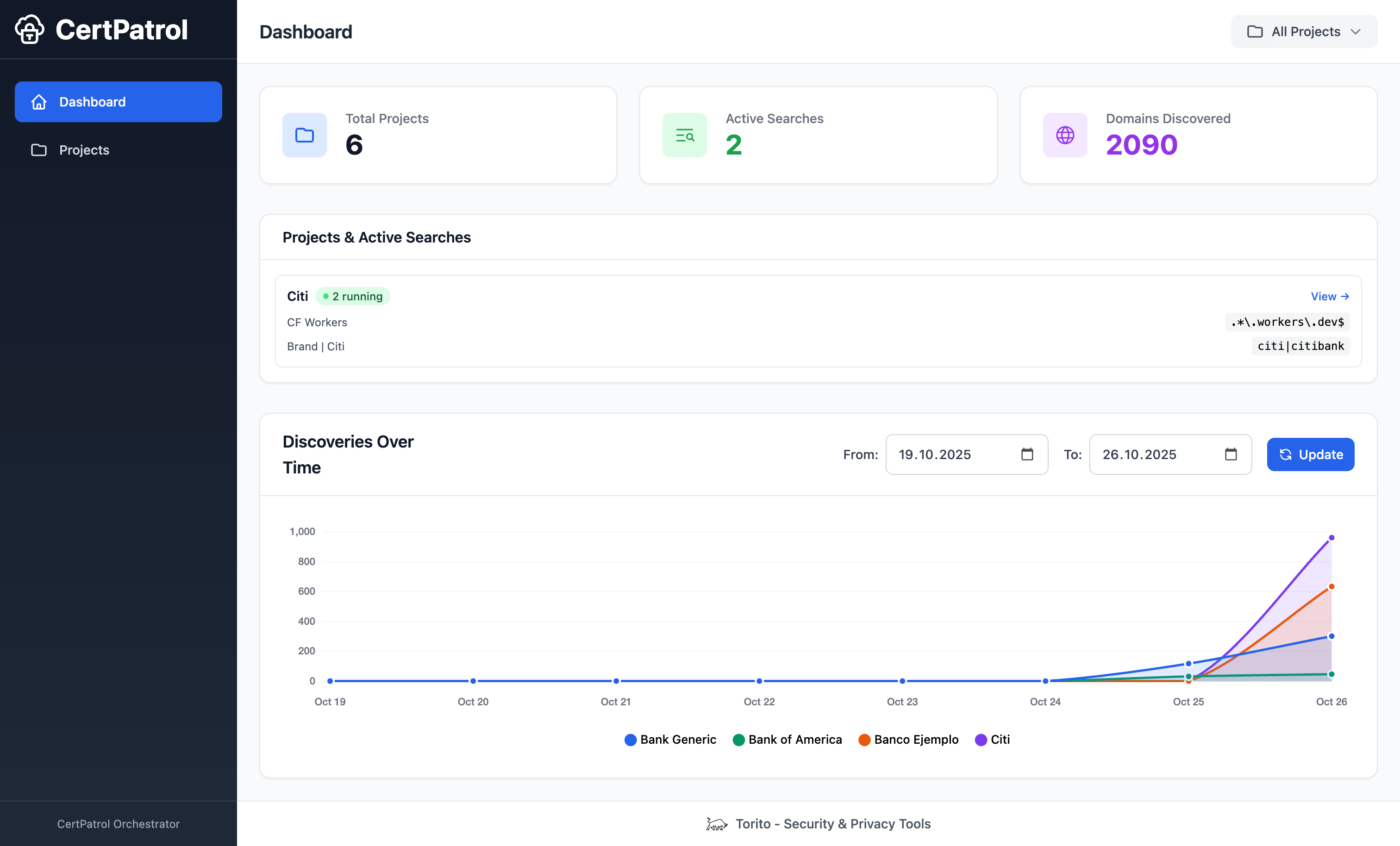
Launch and supervise separate CertPatrol processes. Each search has its own pattern, checkpoints, and process tracking.
Group searches into named projects. Review discoveries with the patterns and project information that produced them.
Use the CLI and REST API to manage searches and retrieve results. SQLite keeps your project history available between sessions.
Install the package, initialize your database, and start the dashboard. Create a project, add your patterns, and launch the searches you need.
Read the project documentationpip install certpatrol-orchestrator
certpatrol-orch init
certpatrol-orch servercertpatrol-orch add-project "Workers.dev Monitoring" -d "Monitor workers.dev domains"
certpatrol-orch add-search "Workers.dev Monitoring" "Workers Search" "workers\\.dev$"certpatrol-orch start <search_id>
certpatrol-orch statuscertpatrol-orch server --db ./data/orchestrator.sqliteDedicated workers read the certificate logs. The manager captures their output, stores the results, and serves the dashboard and API.
Each CertPatrol process runs with its own checkpoint file and PID tracking.
Background threads read worker output and forward structured results to the manager.
SQLite stores projects, search metadata, and results. The Flask UI and REST API read from that database.
The project includes a Waitress server and supports reverse proxy setups. Configure the runtime for the environment where you run your workers.
MANAGER_HOST, MANAGER_PORT,
MANAGER_DEBUG, and
MAX_CONCURRENT_SEARCHES.
-f, --db, or
--database to select a SQLite file for your commands.
CertPatrol tails Certificate Transparency logs for a single pattern. CertPatrol Orchestrator spins up and manages many CertPatrol workers, adds a live dashboard, centralizes storage, and exposes automation-friendly APIs and CLI commands.
Yes. The Orchestrator launches CertPatrol subprocesses, so the
certpatrol package must be present. Installing
certpatrol-orchestrator with pip brings in
CertPatrol automatically as a dependency in most setups.
Definitely. Every task—init, project creation, search control,
and status checks—has a matching CLI command (certpatrol-orch ...) and REST endpoint under /api/*, ideal for CI/CD
pipelines or cron jobs.
Use -f, --db, or
--database flags with any command. For example,
certpatrol-orch server --db ./data/orchestrator.sqlite
runs the UI on a custom file, and
certpatrol-orch list-projects --database
                  /mnt/shared/certpatrol.sqlite
lets other hosts read the same state.
Yes. The Orchestrator ships REST endpoints like
/api/projects, /api/searches,
/api/searches/<id>/results, and
/api/status. Use them to trigger alerts, sync with
ticketing systems, or feed data into custom dashboards.