
Spawn isolated workers
Kick off dedicated CertPatrol processes per search pattern. Each worker runs with its own checkpoint file and PID tracking.
 CertPatrol Orchestrator
Coordinate fleets of CertPatrol workers from a single dashboard. Launch isolated searches, stream discoveries in real time, and keep every result stored in SQLite for hand-offs and automation.
The CertPatrol Orchestrator UI keeps operators aligned with live project states, worker health, and new domains as they stream into SQLite-backed storage.
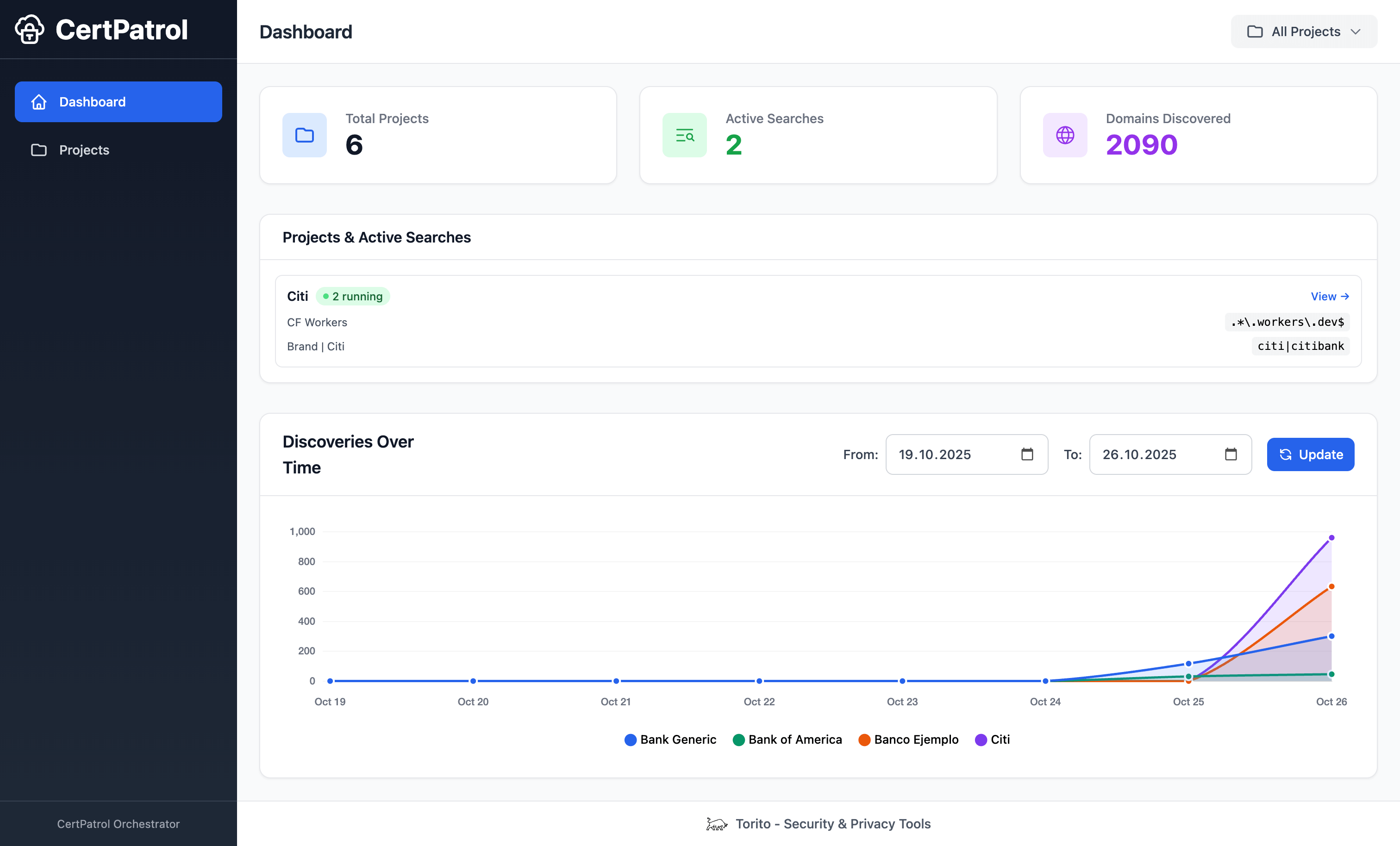
Command and monitor CertPatrol at scale with a coordinated workflow built for security operations, brand protection, and CT log research teams.
Launch and supervise multiple CertPatrol workers in parallel without cross-contamination between searches.
Group related patterns into named projects with descriptions so teams can share context and ownership.
Watch discoveries stream in live, track worker status, and triage new domains from a browser.
SQLite-backed data keeps projects, searches, and results available for reporting and automation.
Script every action from init to start/stop so CI pipelines can drive CT hunting campaigns.
Each worker runs separately—crashes or restarts won’t interrupt other monitoring jobs.
CertPatrol Orchestrator coordinates worker lifecycles, streaming outputs into a shared data store and UI.
Kick off dedicated CertPatrol processes per search pattern. Each worker runs with its own checkpoint file and PID tracking.
Background threads stream stdout line-by-line, annotate each domain, and forward structured results back to the manager.
Results, search metadata, and project context land in SQLite. The Flask web UI and REST API read from the same source of truth.
Install the Orchestrator, initialize storage, and boot the dashboard in minutes.
# Install from PyPI
pip install certpatrol-orchestrator

# Initialize the orchestrator database
certpatrol-orch init

# Start the web server on the default port
certpatrol-orch server
Keep everything coordinated through the CLI:
# Create a project and add a search
certpatrol-orch add-project "Workers.dev Monitoring" -d "Monitor workers.dev domains"
certpatrol-orch add-search "Workers.dev Monitoring" "Workers Search" "workers\\.dev$"

# Run searches and inspect status
certpatrol-orch start <search_id>
certpatrol-orch status

# Point commands at an alternate SQLite file
certpatrol-orch server --db ./data/orchestrator.sqliteShip the Orchestrator with confidence—Waitress handles production traffic while configuration stays flexible.
Serve the Orchestrator with the bundled Waitress WSGI server—no builds, no extra dependencies.
Drop it behind Nginx, Caddy, or any ingress using battle-tested Flask reverse proxy patterns.
Tune host, port, debug, and concurrency via MANAGER_HOST, MANAGER_PORT, MANAGER_DEBUG, and MAX_CONCURRENT_SEARCHES.
Point CLI commands at shared or local SQLite files with -f, --db, or --database.
Answers to the most common setup, automation, and deployment questions.
CertPatrol tails Certificate Transparency logs for a single pattern. CertPatrol Orchestrator spins up and manages many CertPatrol workers, adds a live dashboard, centralizes storage, and exposes automation-friendly APIs and CLI commands.
Yes. The Orchestrator launches CertPatrol subprocesses, so the certpatrol package must be present. Installing certpatrol-orchestrator with pip brings in CertPatrol automatically as a dependency in most setups.
Definitely. Every task—init, project creation, search control, and status checks—has a matching CLI command (certpatrol-orch ...) and REST endpoint under /api/*, ideal for CI/CD pipelines or cron jobs.
Use -f, --db, or --database flags with any command. For example, certpatrol-orch server --db ./data/orchestrator.sqlite runs the UI on a custom file, and certpatrol-orch list-projects --database /mnt/shared/certpatrol.sqlite lets other hosts read the same state.
Yes. The Orchestrator ships REST endpoints like /api/projects, /api/searches, /api/searches/<id>/results, and /api/status. Use them to trigger alerts, sync with ticketing systems, or feed data into custom dashboards.
CertPatrol Orchestrator is free and open source. Explore the code, file issues, or contribute improvements.
View on GitHub